
The Ryvie interface: manage your files, apps and shares from any device.
How to get Ryvie
Ready to use or install yourself, it's your choice.
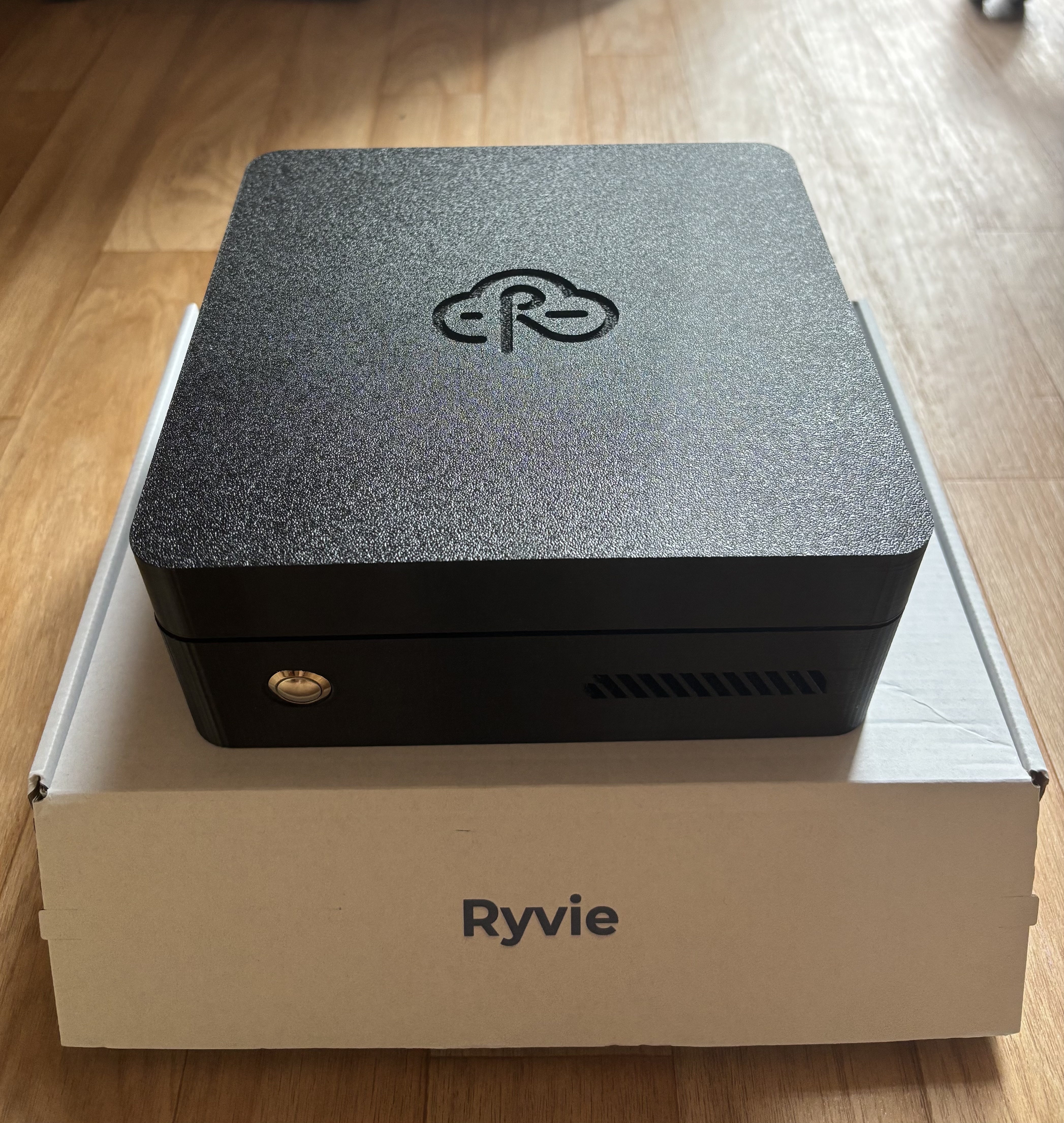
Your personal cloud, ready to use
Store your photos, videos and documents. Share with your family. Built with refurbished hardware.
DiscoverYours, nothing to plug in.
Your own Ryvie, just for you, on a dedicated server hosted in Europe. Nothing to plug in: like a Ryvie at home, but online.
View the plansInstall it yourself
Install RyvieOS on an old computer, a server or the PC of your choice, and get your personal cloud hassle-free, without touching a single command line. Free software, guide included.
Installation guideOur Partners





Everything Ryvie gives you
Set up your own cloud of open-source apps, encrypted and hassle-free.
Your own personal cloud
Set up your cloud at home or have it hosted for you in Europe. It's yours, under your control.
Dozens of open-source apps
Storage, photos, notes, calendar, video calls, project management… a catalog of open-source apps, installable in one click.
End-to-end encryption
Access everything, anywhere, over an end-to-end encrypted VPN tunnel. Your data is never exposed.
No command line
Fully guided setup and management. No tech skills required: if you can use a smartphone, you can use Ryvie.
Your data, in Europe
Hosted at home or on European infrastructure. GDPR-compliant, beyond the reach of foreign jurisdictions.
Your own AI agents
With rAI, connect your apps to the AI of your choice (Gemini, Claude, ChatGPT) and build your own automations.
How does it work?
Ryvie is as simple to use as a smartphone.
In 3 guided steps, your personal cloud is ready to use.
Plug in your Ryvie
Simply plug your Ryvie into your Internet router.
Download Ryvie Connect
Install Ryvie Connect on your computer, smartphone or tablet in just a few clicks.
Enjoy your Ryvie
Enjoy your Ryvie by installing your apps in 1 click and access your files from anywhere in the world.
Plug-and-play setup: no need to be an expert, Ryvie guides you step by step to your first personal cloud.
Applications Ryvie
Apps built specifically for Ryvie, designed for simplicity and performance

rPictures
Store, organize and share your photos with ease, for the whole family.

rTransfer
Easily transfer large files, with virtually no size limit.

rDrop
Transfer files, photos and videos between your devices, as simply as with AirDrop.
rDrive
Retrieve and sync all your files stored on Google, Microsoft or Apple directly at home.

rAI
rAI connects the apps of your choice (files, email, calendar, notes…) to the AI you prefer: Gemini, Claude, ChatGPT. The assistant works directly with your Ryvie data, without juggling between services.
App Store Ryvie
Hundreds of apps installable in one click. Build your own cloud tailored to your needs.
App categories
Transparent & Secure
Every app in the Ryvie App Store is verified and secure. The code is transparent, audited by the community, and you keep full control.
Custom applications
Need a specific app for your business, your organization or your personal needs?
The Ryvie team builds custom apps tailored to your specific needs.
Contact usApp Store preview
Loading applications from GitHub...
Access anywhere in the world
Connect to your Ryvie and all your applications from any device, anywhere in the world, in complete security. Thanks to a P2P connection, with no middleman, your exchanges stay direct.
All your devices, in sync
Access through a dedicated app or simply from your web browser
At home
Ultra-fast access on your local network
At the office
Work with your personal files in complete security
While traveling
Find all your data wherever you are
At the family home
Share your photos and videos easily
Secure connection
End-to-end encryption for all your data
Instant access
Your files available in seconds
Borderless
Accessible from any country
Frequently asked questions
Everything you need to know about Ryvie
Have more questions?
Our team is here to answer them